
Visits and clinical notes
Open a visit and write, copy or scan a clinical note.
Every note belongs to a visit. A visit starts when a WAJ booking starts, and you open it from Nabd.
Open a visit
- On Today, click an appointment and choose Open visit.
- Or open Visits in the menu, or the Visits tab of a patient.
- The visit opens on the Note tab.
Write a note from a template
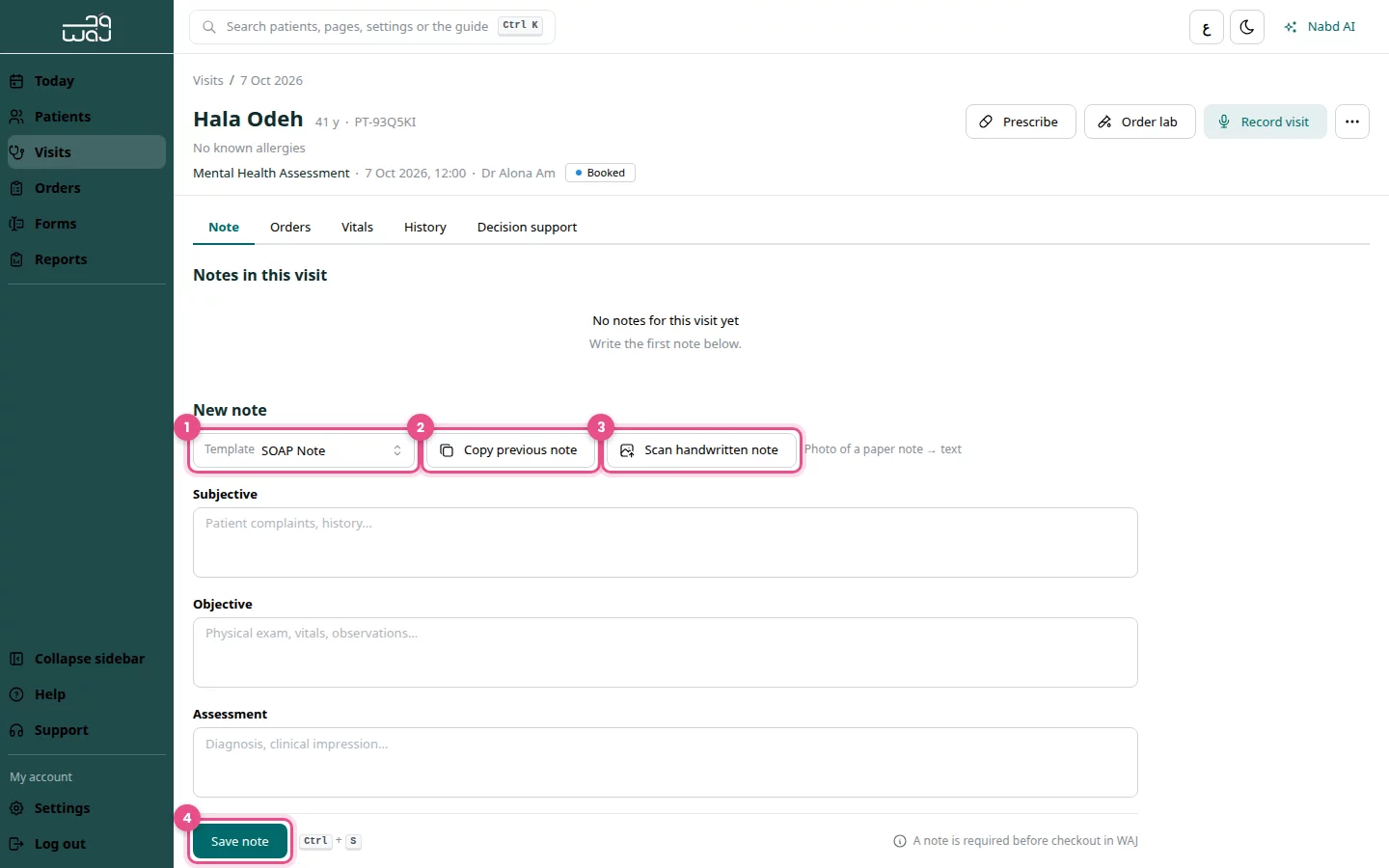
- Choose a Template, for example SOAP Note.
- Type in the sections. Type @ in any section to add a diagnosis or procedure code.
- Click Save note (or press Ctrl + S).
Copy a previous note
- Click Copy previous note.
- Pick one of the patient's earlier notes.
- Edit what changed, then click Save note.
Scan a handwritten note
- Click Scan handwritten note.
- Upload a clear photo of the paper note.
- Review the text read from the image, fix any mistakes, then click Save note.
The photo is attached to the note as the handwritten original.
Drafts
Nabd keeps your note as a draft while you type. If you leave and come back, you see Unsaved draft restored. Click Discard draft to start again.
Note required before checkout
If your clinic turned this rule on, WAJ won't check out a clinical visit until a note is saved. The visit shows A note is required before checkout in WAJ until you save, then Note saved — checkout is unlocked in WAJ.
Good to know
- Let Nabd AI draft the note for you: see Record a visit with the AI scribe.
- Clinic admins choose the default template in Clinic settings.
Follow WAJ on Google
Add WAJ as a preferred source to see more of our articles in your Google Search results, marked with a "preferred" badge.