
Reports
See how well visits are documented and review every change to clinical records.
Reports shows how well visits are documented and every change made to clinical records. Reports are available to clinic admins only.
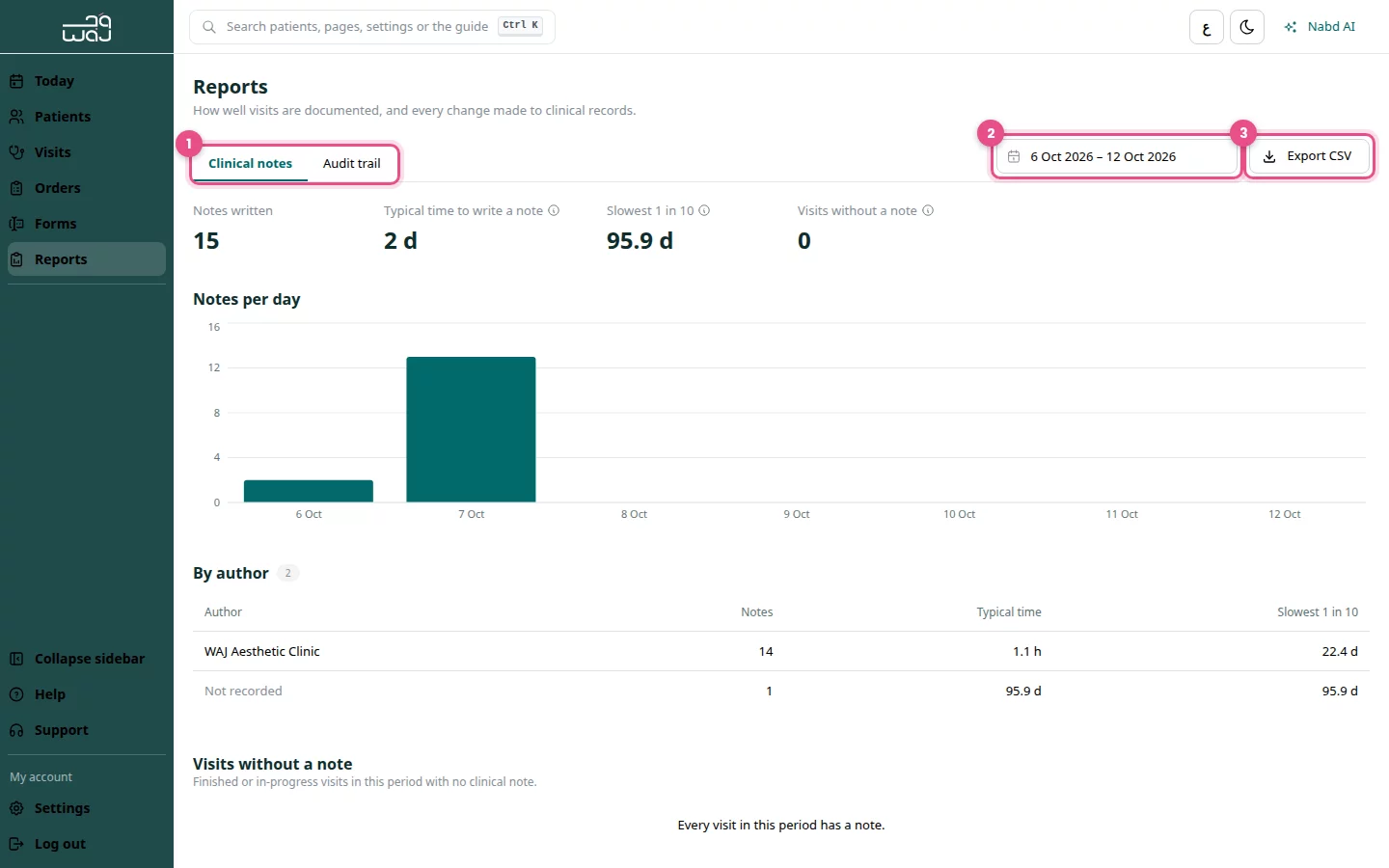
See the clinical notes report
- Click Reports in the menu.
- Stay on the Clinical notes tab.
- Choose the date range.
- Read Notes written, Typical time to write a note, Slowest 1 in 10 and Visits without a note.
Under Visits without a note, click Open visit to write the missing note.
Review the audit trail
- Click the Audit trail tab.
- Choose the date range.
- Filter by user, action or record type.
- Read what changed, who did it and when.
Export to CSV
- Open the report you need and set the date range.
- Click Export CSV.
- Open the file in Excel or another spreadsheet app.
Good to know
- The audit trail shows changes, not who viewed a record.
- Choose a range of up to one year for the audit trail.
Follow WAJ on Google
Add WAJ as a preferred source to see more of our articles in your Google Search results, marked with a "preferred" badge.