Ask Nabd AI
Ask questions about the open patient or visit, get suggestions and add codes.
Nabd AI is the assistant in Nabd. It can summarise a patient or visit, check drug interactions, read lab results, draft notes, suggest codes and explain how to use Nabd.
Ask a question
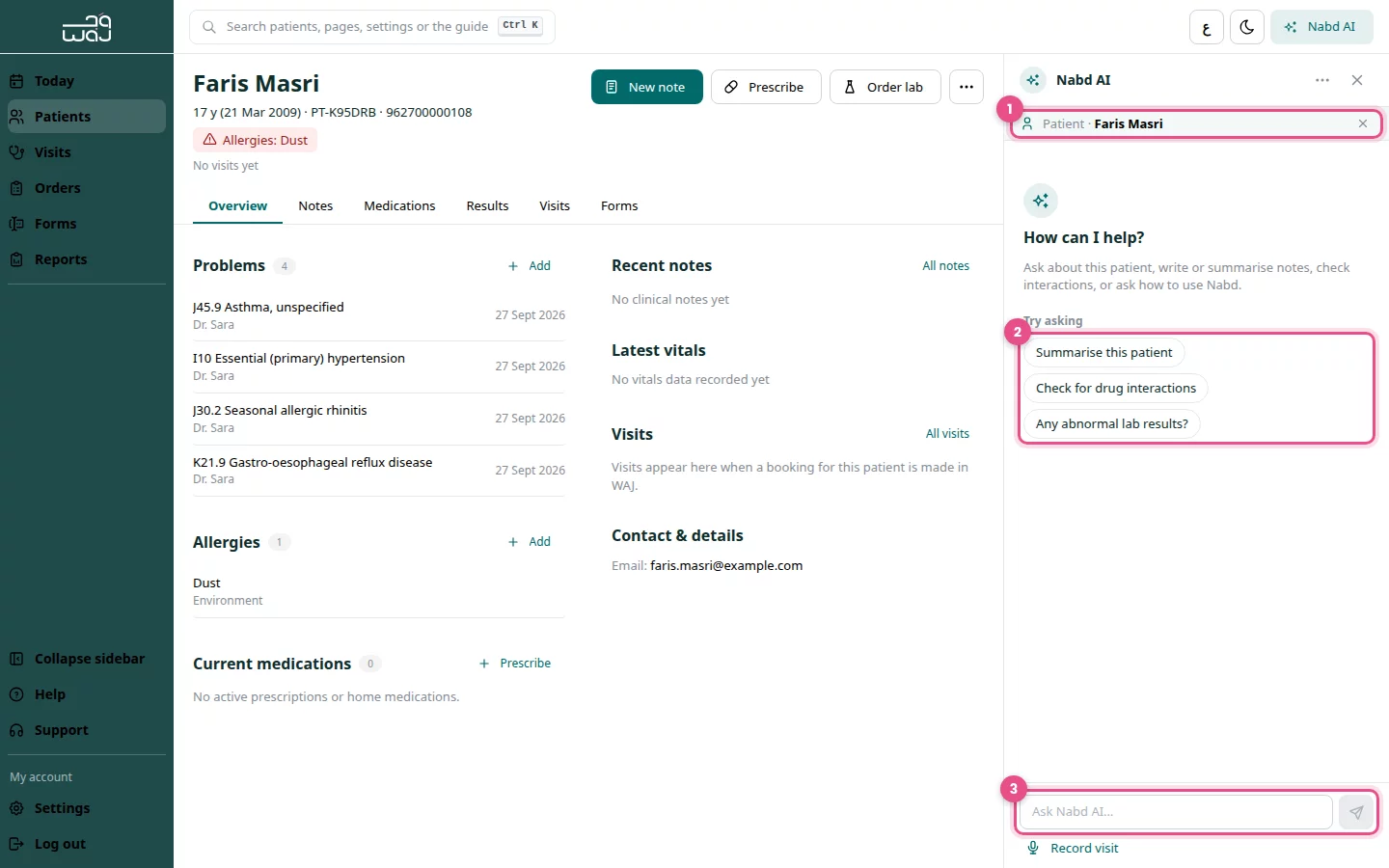
- Open a patient or visit, then click Nabd AI at the top right.
- Check the context card at the top. It shows the record Nabd AI uses to answer, for example Patient and the patient's name.
- Click a suggestion under Try asking, or type your own question.
- Press Enter to send.
Add a medical code
- Type @ in the message box.
- Keep typing the condition or procedure.
- Pick the code from Medical codes.
Review suggestions before they are saved
Nabd AI can suggest an allergy, diagnosis, prescription, lab order or note. Nothing is saved until you confirm it.
- Find the suggestion under the answer.
- Click Review & save, check and edit the details, then save.
- Or click Dismiss proposal to ignore it.
Report an answer
- Under the answer, click Report this answer.
- Say what was wrong. Remove patient names and ID numbers before sending.
Good to know
- Click Don't use this record on the context card to ask a general question.
- New chat starts over; Chat history shows earlier chats.
- Always check answers, especially diagnosis suggestions, before acting on them.
Follow WAJ on Google
Add WAJ as a preferred source to see more of our articles in your Google Search results, marked with a "preferred" badge.