
Today: your appointments
See the day's appointments, filter them and open a visit.
Today lists every appointment for the day, in time order. Appointments booked in WAJ appear here automatically.
Read the day
At the top you see the date, the number of appointments, and Open lab orders if any are waiting. Each row shows the time, patient, service, practitioner and status.
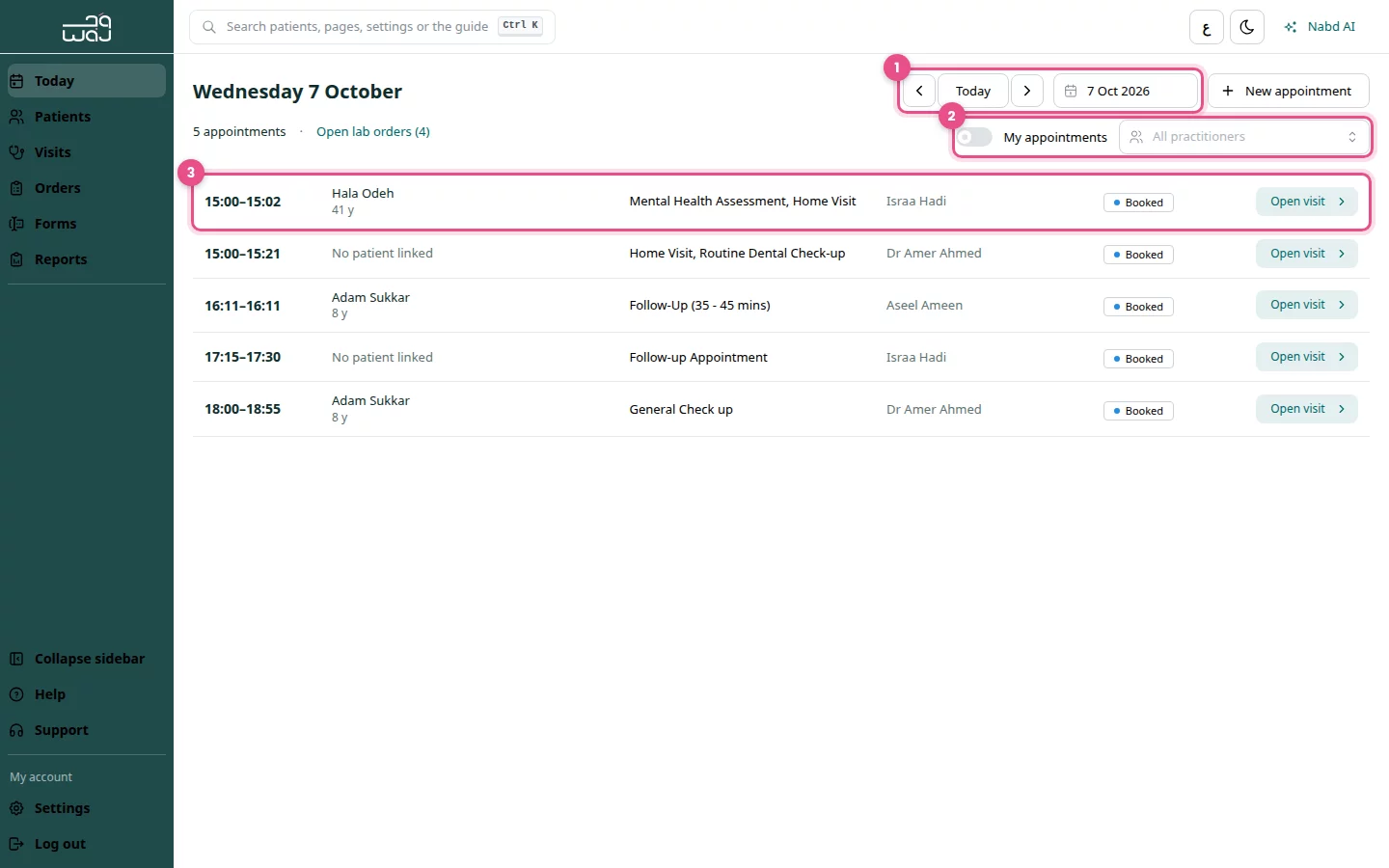
Change the day
- Use the arrows next to the date to go to the Previous day or Next day.
- Click the calendar button next to the date and pick a day.
- Click Today to come back to today.
Filter the list
- Open the practitioner filter (it shows All practitioners) and choose a name.
- Or turn on My appointments to see only your own.
Open a visit
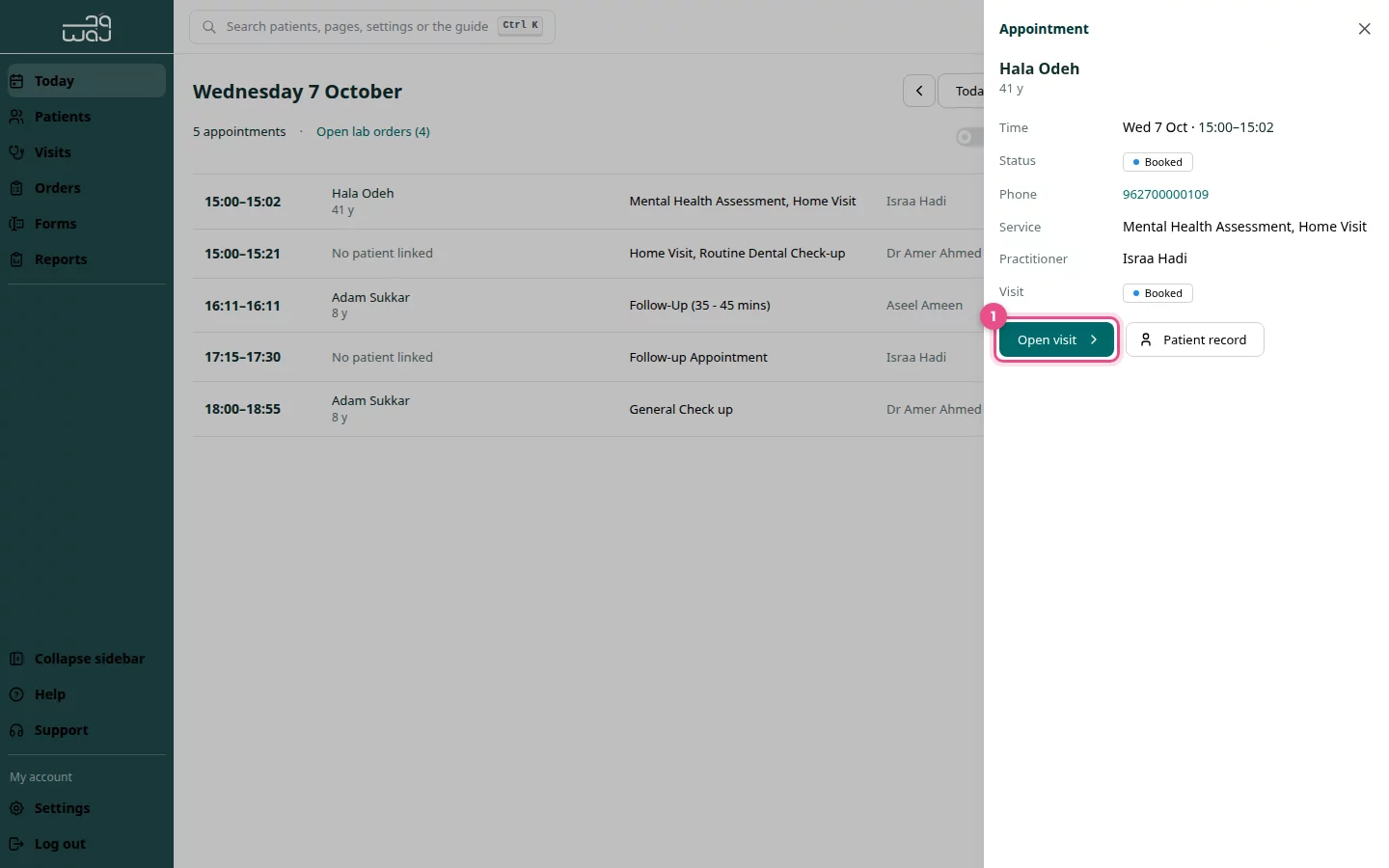
- Click an appointment row. The Appointment panel opens on the side.
- Check the time, service, practitioner and notes.
- Click Open visit to start working on the visit, or Patient record to see the full record.
Add an appointment
Use this for walk-ins or bookings made outside WAJ.
- Click New appointment.
- Search for the Patient, then choose the Practitioner, Date, Start time and Duration.
- Add an optional Note.
- Click Book appointment.
Good to know
- If a day is empty, use Go to next day with appointments.
- To write notes, see Visits and clinical notes.
Follow WAJ on Google
Add WAJ as a preferred source to see more of our articles in your Google Search results, marked with a "preferred" badge.