
Patients and the patient record
Find a patient, read their record and keep problems, allergies and details up to date.
The patient record brings together everything recorded for one patient. Patients are added automatically from WAJ when a client books a clinic service.
Find a patient
- Click Patients in the menu.
- Type in Search by name, phone or ID.
- Click the patient's row.
You can also press Ctrl K from any page.
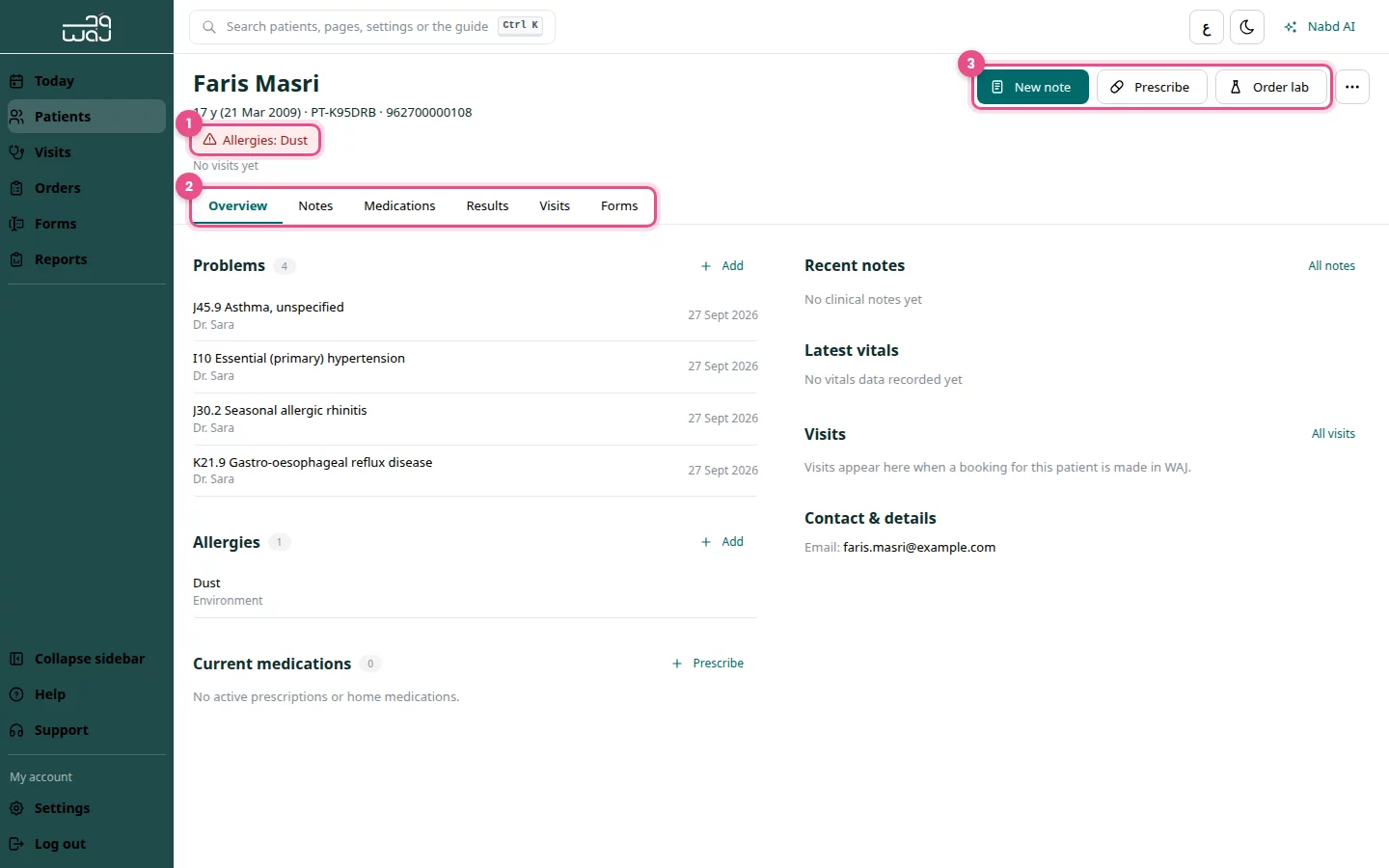
Read the header
The header stays at the top of every tab.
- Check the allergy line: Allergies: with the list, No known allergies, or Allergies not recorded.
- Use the tabs: Overview, Notes, Medications, Results, Visits, Forms and Photos & charts.
- Use the actions: New note, Prescribe and Order lab.
Add a problem or allergy
- On Overview, find the Problems or Allergies card.
- Click Add.
- Search for the diagnosis, or type the allergen.
- Click Save problem or Save allergy.
Edit details or export a PDF
- Click More in the header.
- Choose Edit details, change what you need, then click Save details.
- Or choose Export PDF summary to download a summary of the record.
Good to know
- Always check the allergy line before you prescribe.
- Visits shows the patient's visits and an Activity list of everything recorded, by date.
- Notes are written on a visit. See Visits and clinical notes.
Follow WAJ on Google
Add WAJ as a preferred source to see more of our articles in your Google Search results, marked with a "preferred" badge.