
Staff Shifts and Scheduling
Overview
Every staff member's working hours combine a recurring weekly pattern with day-specific overrides, plus a log of when they actually clocked in and out.
Where to find it
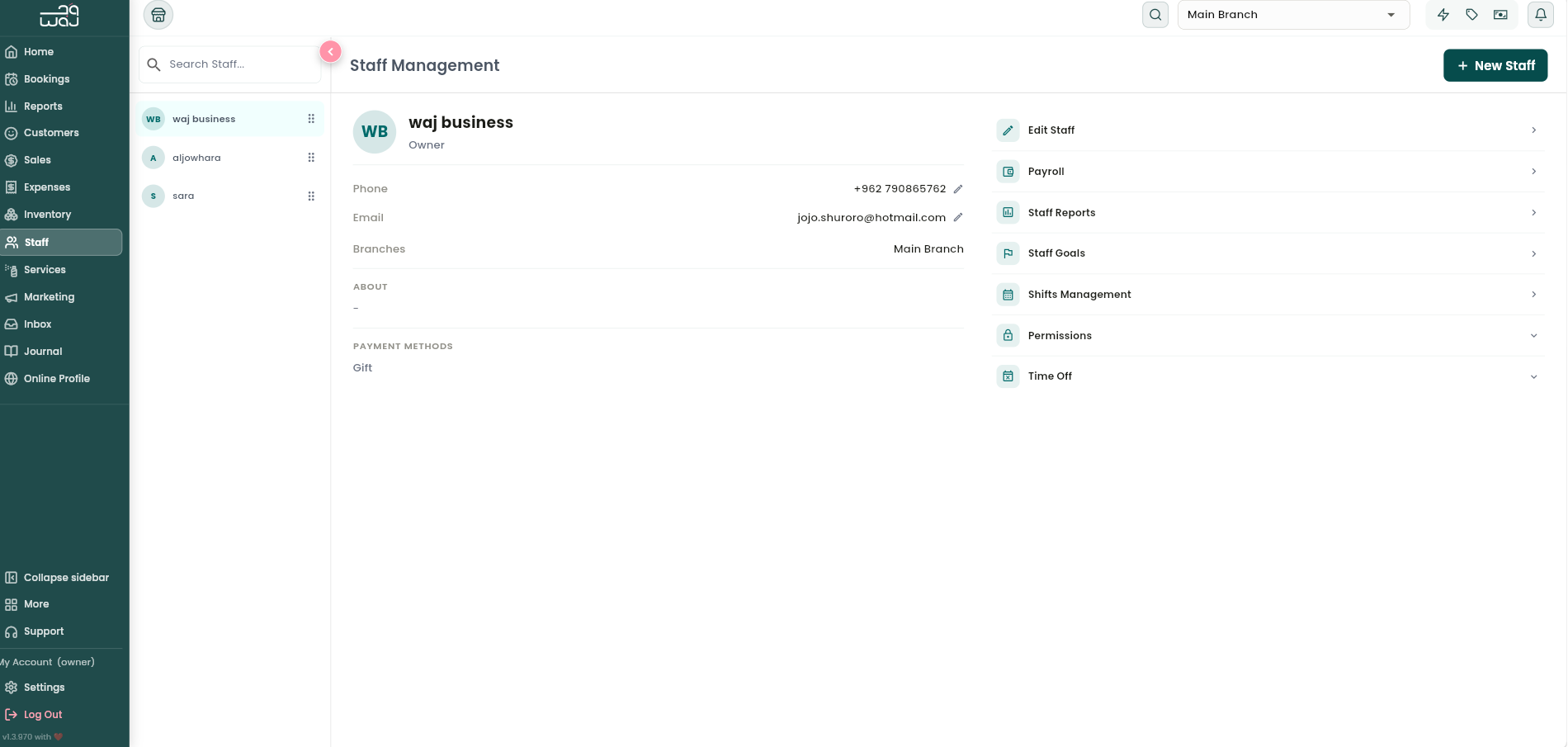
Staff profile → Shifts Management, split into three tabs: Monthly view, Scheduled shifts, and Shifts logs.
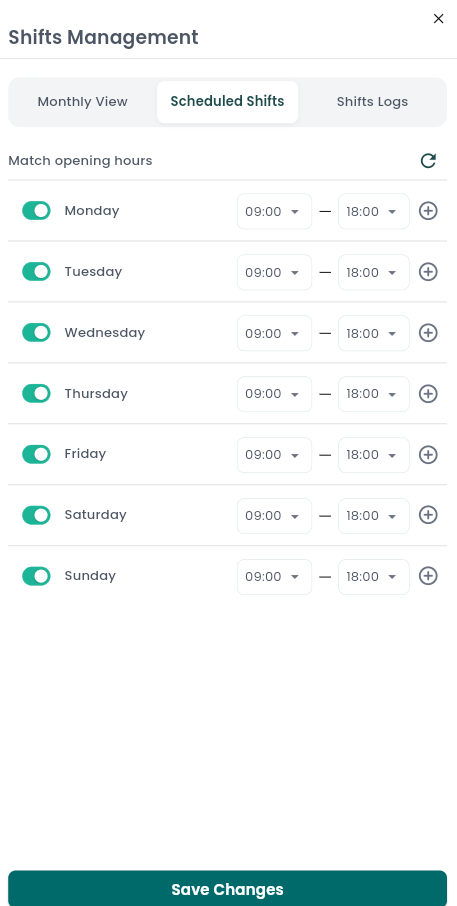
Scheduled shifts (the weekly pattern)
The standard recurring week — one row per day, Monday through Sunday:
- Add more than one shift block to the same day for a split shift.
- Disable a day entirely to make it unbookable.
- Tap Match opening hours to reset the whole week to mirror your branch's opening hours.
- Tap Save changes to persist the week. You'll then be asked "Copy this schedule to other staff?" — say yes and pick which other staff members at the branch should get the same weekly pattern, a fast way to set up a whole team at once.
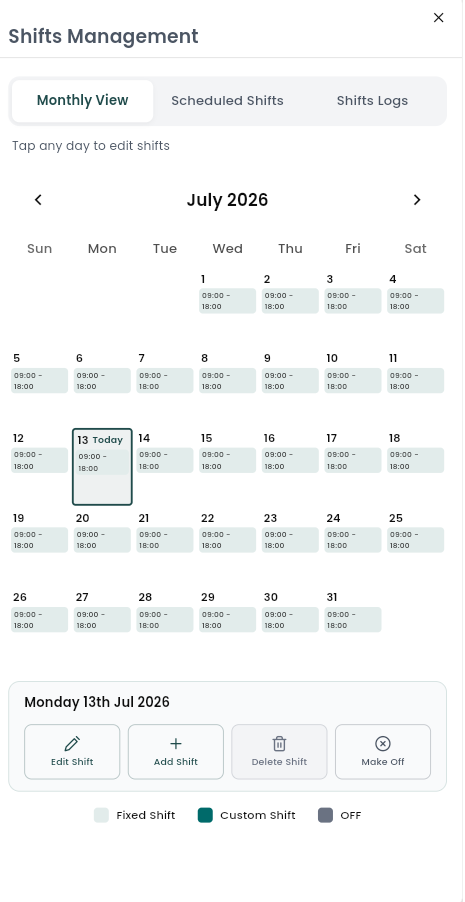
Monthly view (day-specific overrides)
A calendar of the actual month. Tap any day to:
- Add a custom shift for that specific date, overriding the recurring pattern for that day only.
- Edit an existing override for that day.
- Delete an override — this reverts the day back to the recurring weekly pattern. (You can only override or restore a day this way — a plain recurring shift itself isn't deleted from here.)
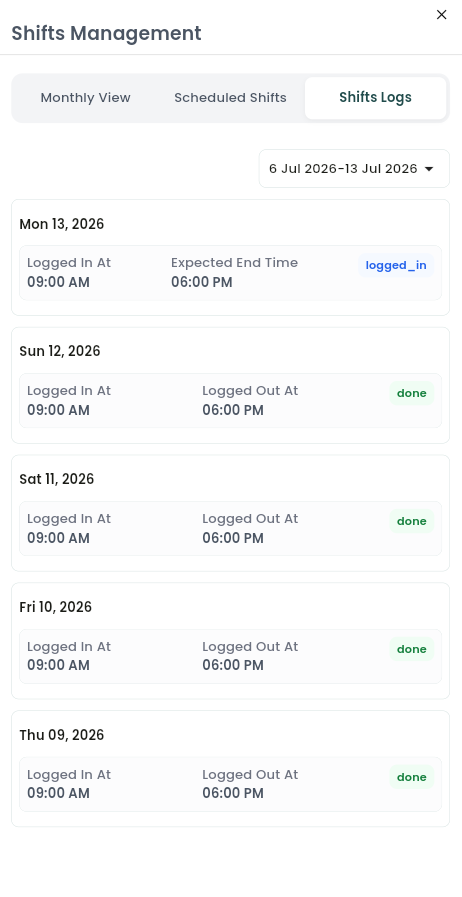
Shifts logs
A read-only log of clock-in and clock-out activity for a date range (last 7 days by default, adjustable). Each day shows Logged in at (the actual time) or Expected start time (the scheduled time, if they haven't logged in yet), and the same for the end of the shift, plus a status: Not started, Logged in, Done, or No Show.
How shifts affect online booking
Customers can only book a staff member online — or have them scheduled on the calendar — during hours where that person has an active shift, whether from their recurring weekly pattern or a day-specific override. A day with no shift at all (disabled or never scheduled) makes that staff member unavailable that day. Approved time off always overrides shifts and blocks availability, even on a day someone is normally scheduled to work.
Staff utilization
Reports measure staff utilization as hours booked ÷ hours worked, and the two are calculated independently:
- Hours worked comes from the staff member's actual clocked shift time for the day (or their scheduled time if they haven't logged in yet).
- Hours booked comes only from the duration of services that have actually been checked out — not simply booked or confirmed.
A fully-booked calendar doesn't automatically mean 100% utilization until those appointments are checked out. This is also why utilization percentage and booking counts (which include booked, confirmed, cancelled, and no-show appointments alongside checked-out ones) can tell slightly different stories about the same day — they're answering different questions.
Notes & limitations
Schedules and logs are tied to the selected branch; switch branches to manage a different location. Copying a schedule applies the current staff member's weekly pattern to the staff you select. Resetting a schedule aligns it with the branch's opening hours.
Follow WAJ on Google
Add WAJ as a preferred source to see more of our articles in your Google Search results, marked with a "preferred" badge.