
Language and Translation Settings
Overview
WAJ separates two related language settings: the language your own app interface displays in (Currency & Language Preferences, under Business Profile Settings), and the languages your customer-facing online booking site is translated into (Settings → Translations).
Where to find translations
Settings → Business → Translations.
Business Languages
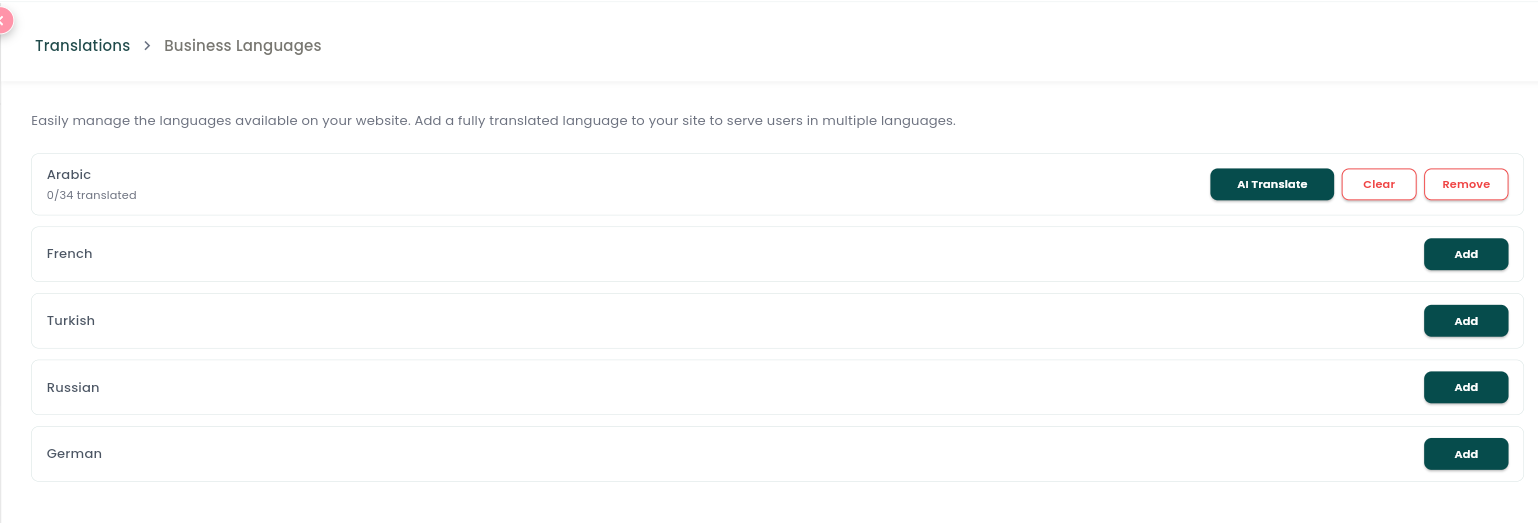
Tap Business Languages to choose which languages your online profile supports, in addition to your base content language: Arabic, French, Turkish, Russian, German.
What can be translated
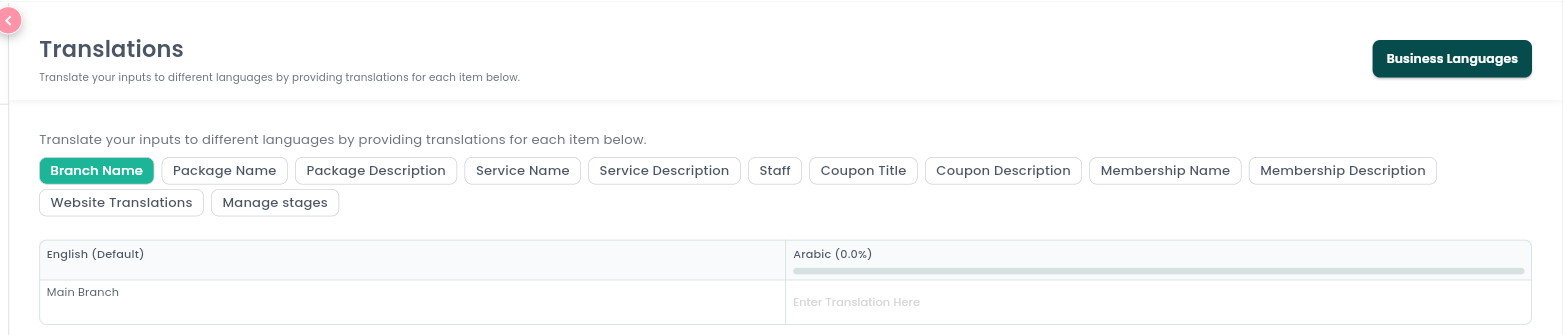
A feature selector lets you pick which content to translate: Branch Name, Package Name/Description, Service Name/Description, Staff (names/bios), Coupon Title/Description, Membership Name/Description, and general Website Translations (your online profile's own interface text).
Manual vs. automatic translation
- Manual — a table shows your original text next to an editable field for each active language, so you can type the translation yourself.
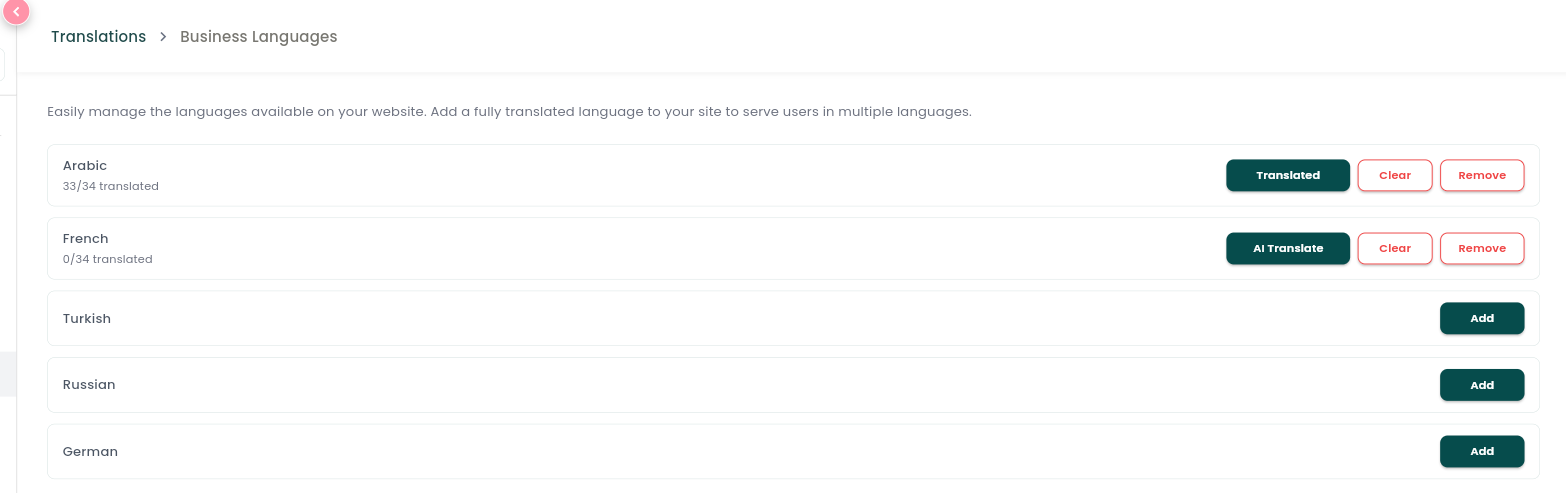
- Auto-translate (AI) — kick off an automatic translation job for a chosen language. It runs on the server with live progress (starting, running, done, with a completed/total count), and you can navigate away while it keeps running in the background. A Clear action wipes translations for a language if you want to start fresh.
Notes & limitations
The app-interface language (what you see as the business owner/staff) and the online-profile languages (what customers see on your booking site) are configured separately — changing one doesn't affect the other.
Follow WAJ on Google
Add WAJ as a preferred source to see more of our articles in your Google Search results, marked with a "preferred" badge.