
Roles and Permissions
Overview
WAJ separates access control into three layers, and it helps to think of them separately: Role, Permission Level, and the Permissions matrix.
Role
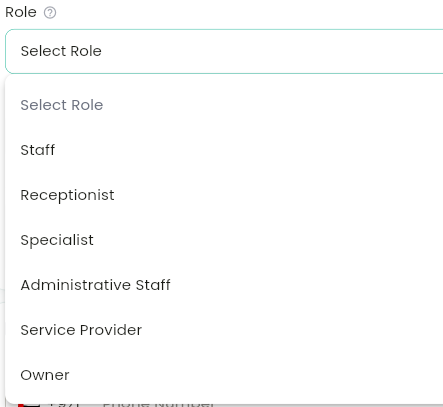
A descriptive label on the staff profile: Staff, Receptionist, Specialist, Administrative Staff, Service Provider, or Owner. This is just a label for your own reference — it doesn't determine what someone can actually do in the app.
Permission Level
The actual access tier assigned to each staff member: Basic → Low → Med → High → Owner, shown as a 20/40/60/80/100% scale in the app. You set this per staff member from their profile's Permissions section (an owner-only action), and it's what actually determines which permissions apply to them.
The Permissions matrix
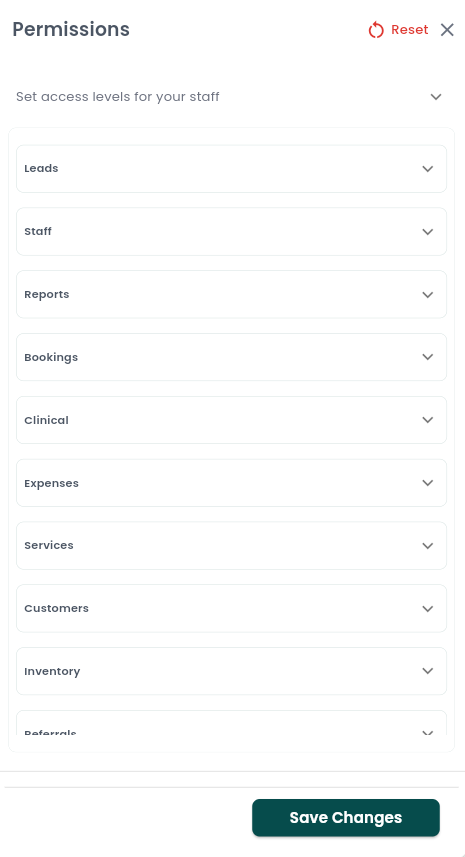
Your business's master rulebook, at Settings → Permissions (visible and editable only by your account Owner). For each feature area, you can toggle every individual permission on or off, per Permission Level. Feature areas include Staff, Reports, Bookings, Services, Customers, Inventory, Payment Plans, Branch Manager, Online Profile, Business Details, Referrals, Memberships, Cash Register, AI, Customer Balance, and Clinical — plus a few that only appear for certain business types, like Leads, Retail POS, and Inbox.
Your account Owner always has full access, regardless of what the matrix says — the Owner bypasses every permission check. A staff member whose Permission Level is set to "Owner" isn't the same as the account Owner, but is typically given the same broad access through the matrix.
If you want to undo custom changes, the Permissions screen has a Reset action (with a confirmation) that restores WAJ's default permission matrix.
Staff-management permissions
The permissions most relevant to staff management include: Add new staff, Edit staff details, Delete staff profile, Update staff permissions, Assign shifts, Manage time off, Set/Edit/Access/Delete staff goals, View staff earning details, Assign payment plans to staff, Access own profile, Access other staff members' profile, and Access staff reviews.
Notes & limitations
If you try to do something you don't have permission for, WAJ shows an in-app message naming the exact permission you're missing, rather than just failing silently.
Follow WAJ on Google
Add WAJ as a preferred source to see more of our articles in your Google Search results, marked with a "preferred" badge.